Rutmia Score
One number to understand your day.
Combines completion and, when you enable it, sleep, steps, and calendar availability signals.
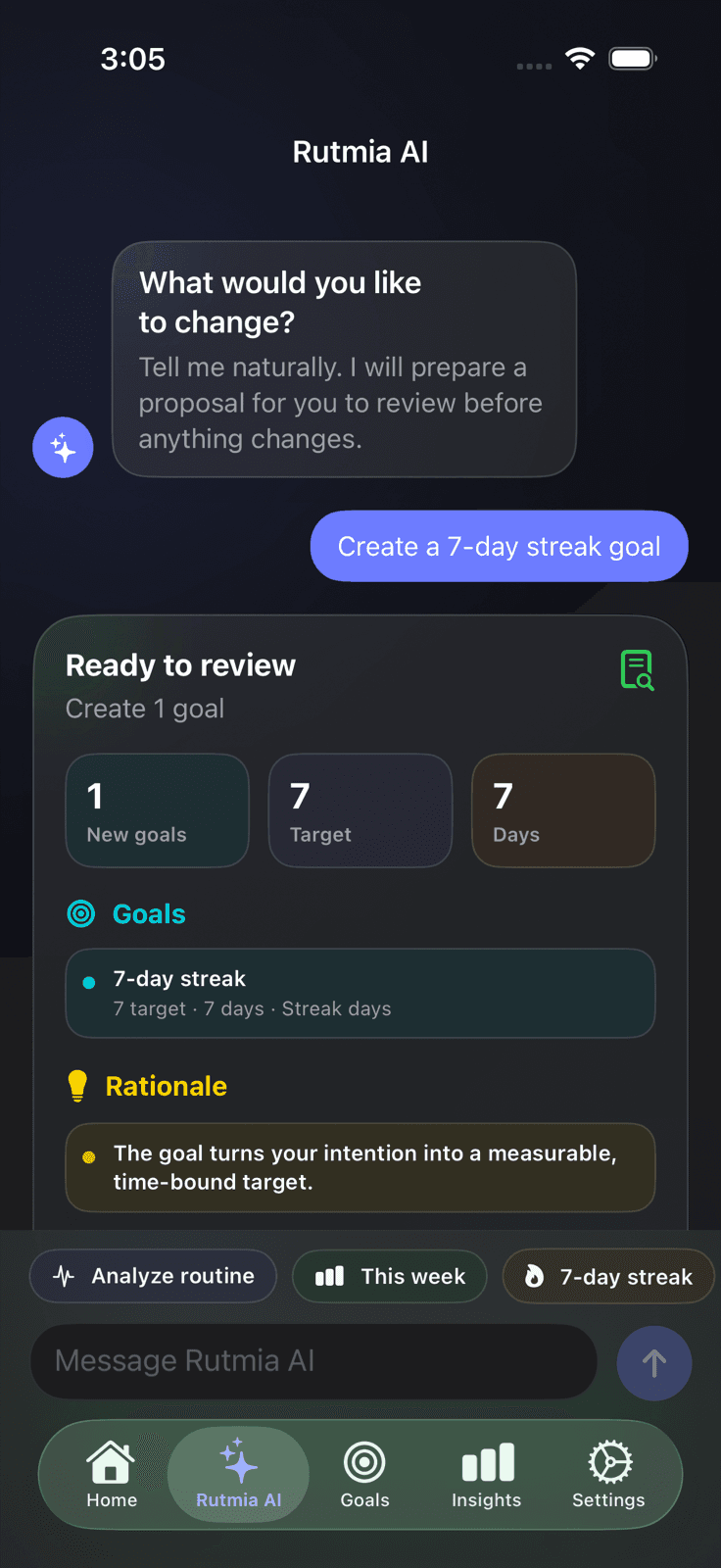
Tell Rutmia what you want to change. Rutmia AI prepares a clear proposal, spots conflicts, and waits for your approval before touching a single habit.
Your new companion appears when it matters: welcoming you, thinking alongside you, and celebrating a completed day. Motion is brief, efficient, and respects Reduce Motion.
Rutmia turns an intention into concrete schedule, frequency, reminder, and goal changes. Nothing is saved behind your back.
Describe your goal, schedule, and constraints exactly as you would to a person.
See what will be added, edited, or archived, together with assumptions and warnings.
Adjust the request or approve the complete proposal when you are ready.
Rutmia connects what you plan, what you do, and how your day is going to show progress you can actually use.
Combines completion and, when you enable it, sleep, steps, and calendar availability signals.
Create global or habit-specific challenges, track perfect days, and unlock meaningful achievements.
Set flexible times and follow-ups that only arrive while a habit is still pending.
Explore weeks, months, trends, per-habit performance, and your visual history.
Check today, create a habit by voice, follow a focus session from a Live Activity, and bring your progress to every screen.
Daily, weekly, or custom schedules
Quantity targets and flexible units
Configurable Pomodoro sessions with automatic breaks
Automatic workout check-ins with HealthKit
Follow-ups, notes, colors, and icons
CSV, JSON, and PDF import or export
Optional sync in your personal iCloud
Rutmia processes your routine primarily on your device. We do not show ads or use cross-app tracking. If you enable cloud assistance, it may receive only the minimum context needed, and you can keep requests on-device by withdrawing consent.
Start without handing over your email or creating another cloud profile.
Without your consent, Rutmia keeps requests on-device. You can withdraw consent whenever you want.
Enable or revoke HealthKit, Calendar, iCloud, and cloud assistance from your device.
The core experience works from your first habit. Pro removes limits and adds tools to take your system further.
See options on the App StoreUp to 5 active habits, Rutmia AI, import, export, HealthKit, widgets, and iCloud.
More tools to take your system further. Cloud-usage limits may differ by plan and appear in the app or App Store.
Yes. You can download it now from the App Store for iPhone and iPad running iOS 26 or later.
Without consent to share with cloud models, Rutmia keeps requests on-device. With consent and a connection, it tries Apple Private Cloud Compute when available, then Google Gemini through Firebase, and uses local processing if cloud service is unavailable. You always review the proposal before applying changes.
Routine data is processed primarily on your device. If you consent to cloud assistance, a proposal may include only the minimum active-habit context; motivational messages may use aggregate progress metrics. HealthKit data, Calendar titles or notes, raw completion history, purchases, email, and iCloud identity are not sent.
Yes. Rutmia offers a free plan and a Pro plan; their features and cloud-usage limits may differ. Check the current offer in the app or App Store.
Many features can work without a connection. Network access may be used for iCloud and for cloud assistance when you choose it and provide the relevant consent.
Start with one habit. Let Rutmia help you build the rest.
Download Rutmia