
Your streak comes first
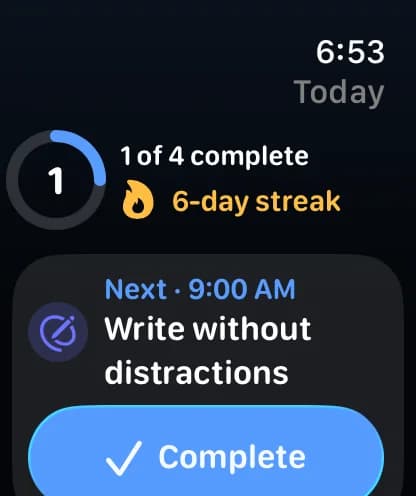
Today shows your checklist, your streak, and what's next. Forgot to log yesterday? Rutmia asks, so your streak stays true.
New in Rutmia 1.10
Tell Rutmia what you want to change: Rut explains each change, you see the before and after, and you approve it. Your streak comes first, and every week you get a review that helps. On iPhone, iPad, and Apple Watch.
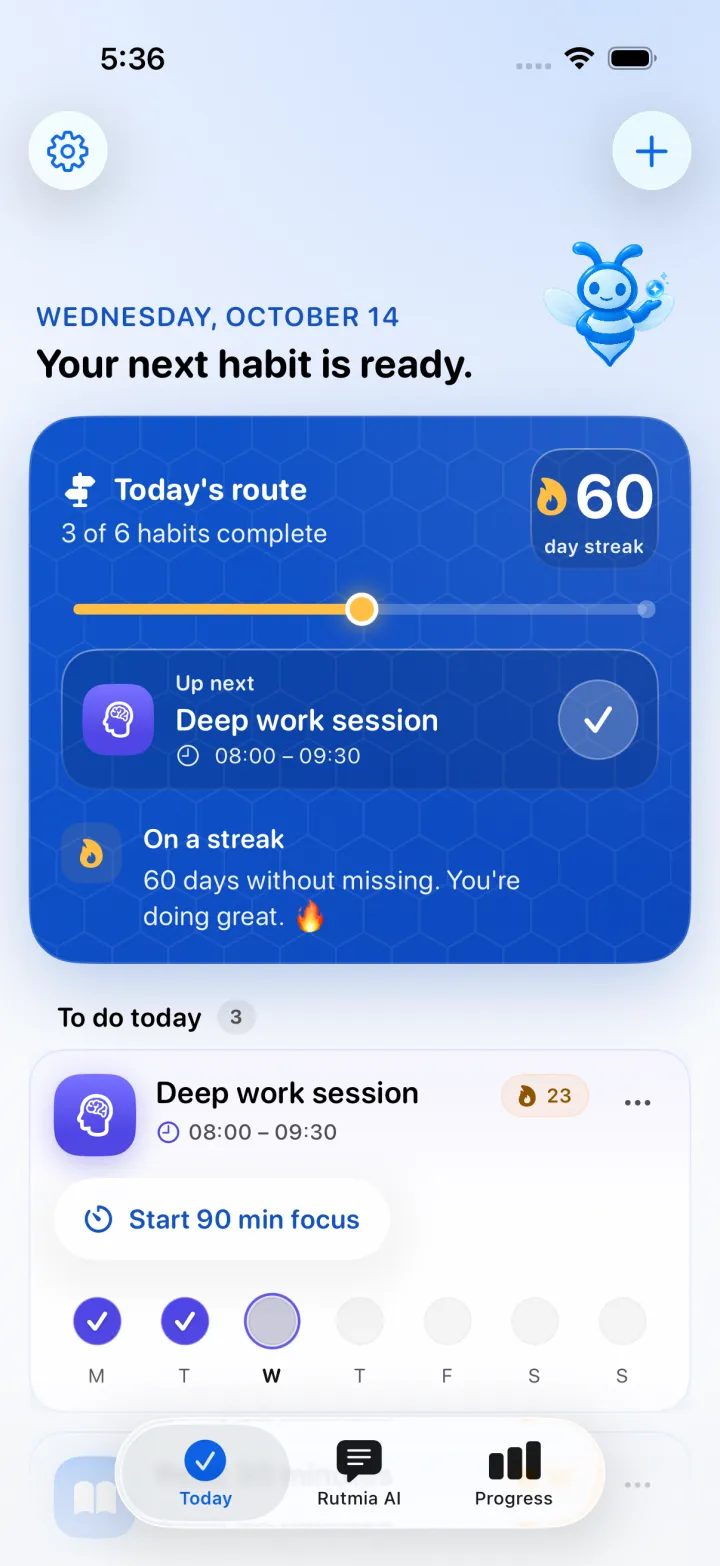
One question to start, your streak up front, and AI that explains every change before it applies it.
Today shows your checklist, your streak, and what's next. Forgot to log yesterday? Rutmia asks, so your streak stays true.
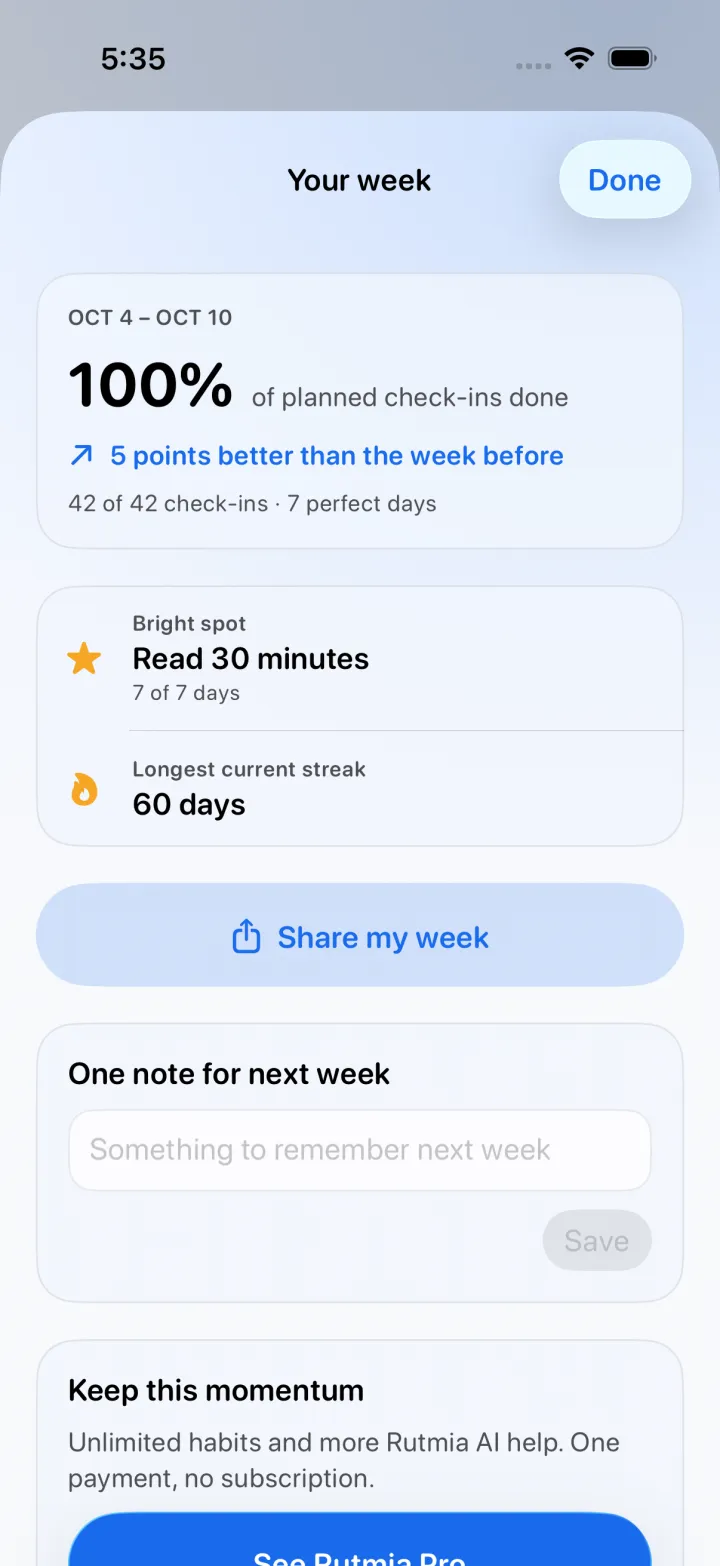
What worked, one habit to make easier, and a note for next week. Share it as a story.
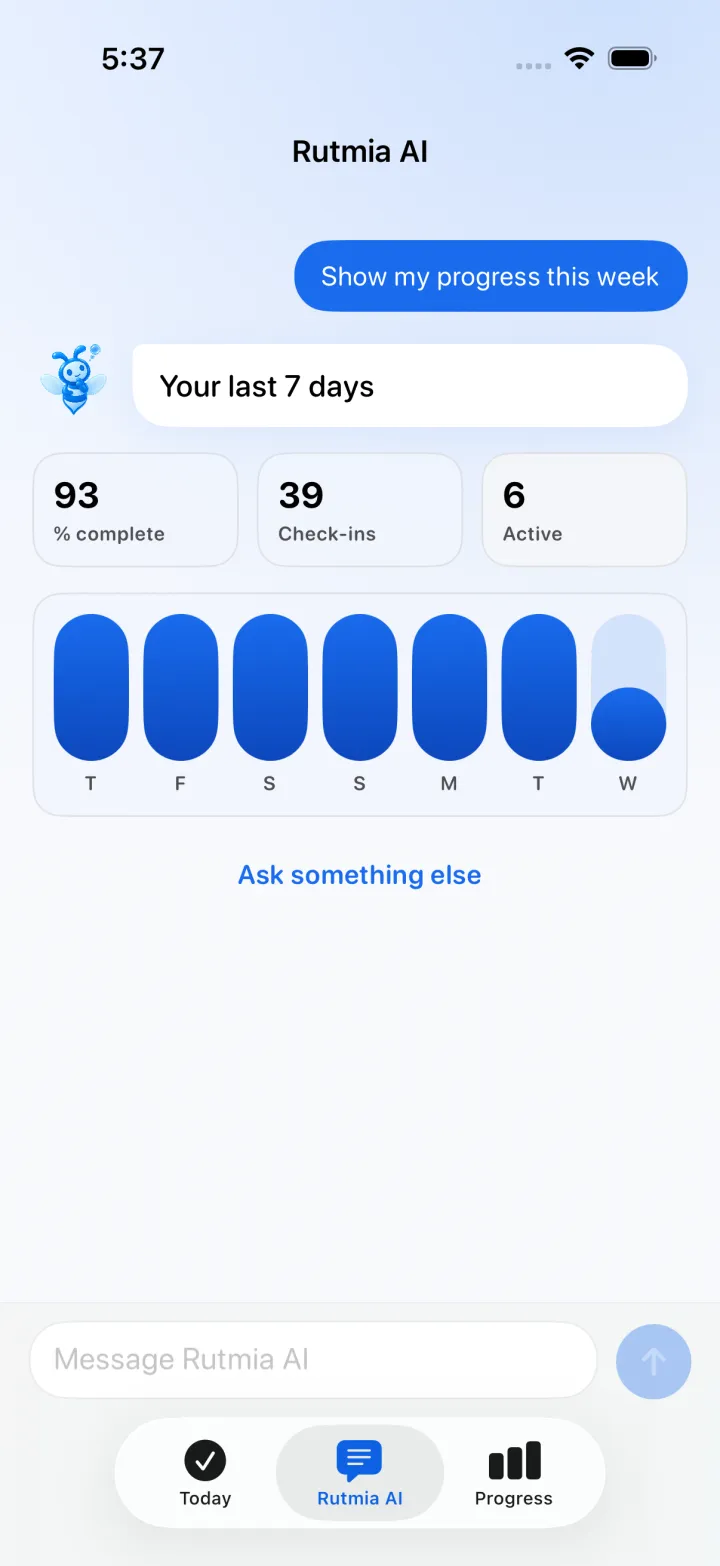
Ask which day works best or why one habit is hard, and Rut answers from your own routine.
Rut explains each change in one sentence, you see how it looks, and apply it in one tap. Nothing changes without your OK.
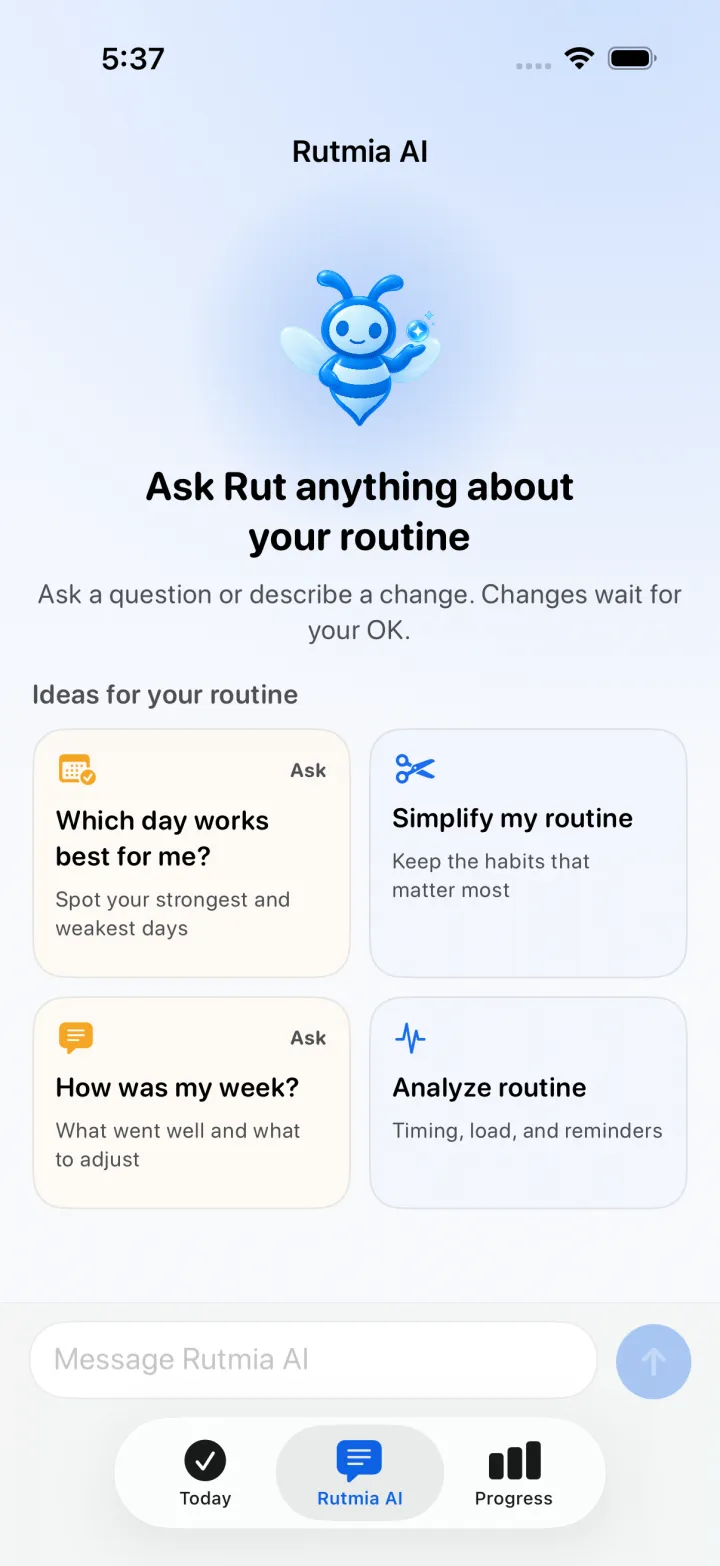
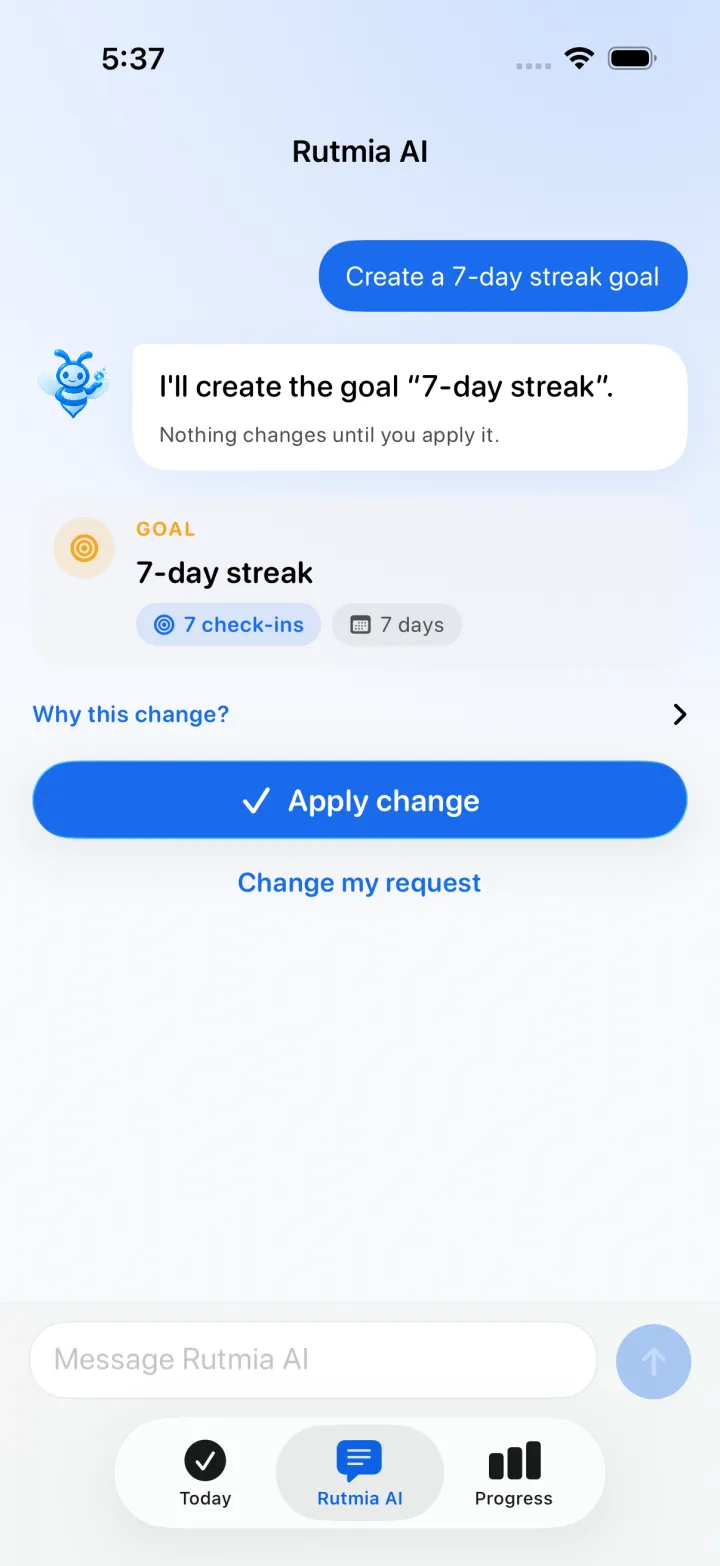
Tell Rutmia what you want to change, like “help me quit sugar” or “build me an evening routine.” Rut speaks first, explains every change, and nothing is saved until you apply it.
Describe your goal, schedule, and constraints as you would to a person, or pick one of the ideas for your routine.
Rut explains each change in one sentence and shows how your routine will look. Tap “Why this change?” for more detail.
If it works for you, apply it. If not, change your request or ask something else.
Ask which day works best, how your week went, or why one habit is hard. Rut answers from your own data. The free plan includes a preview.
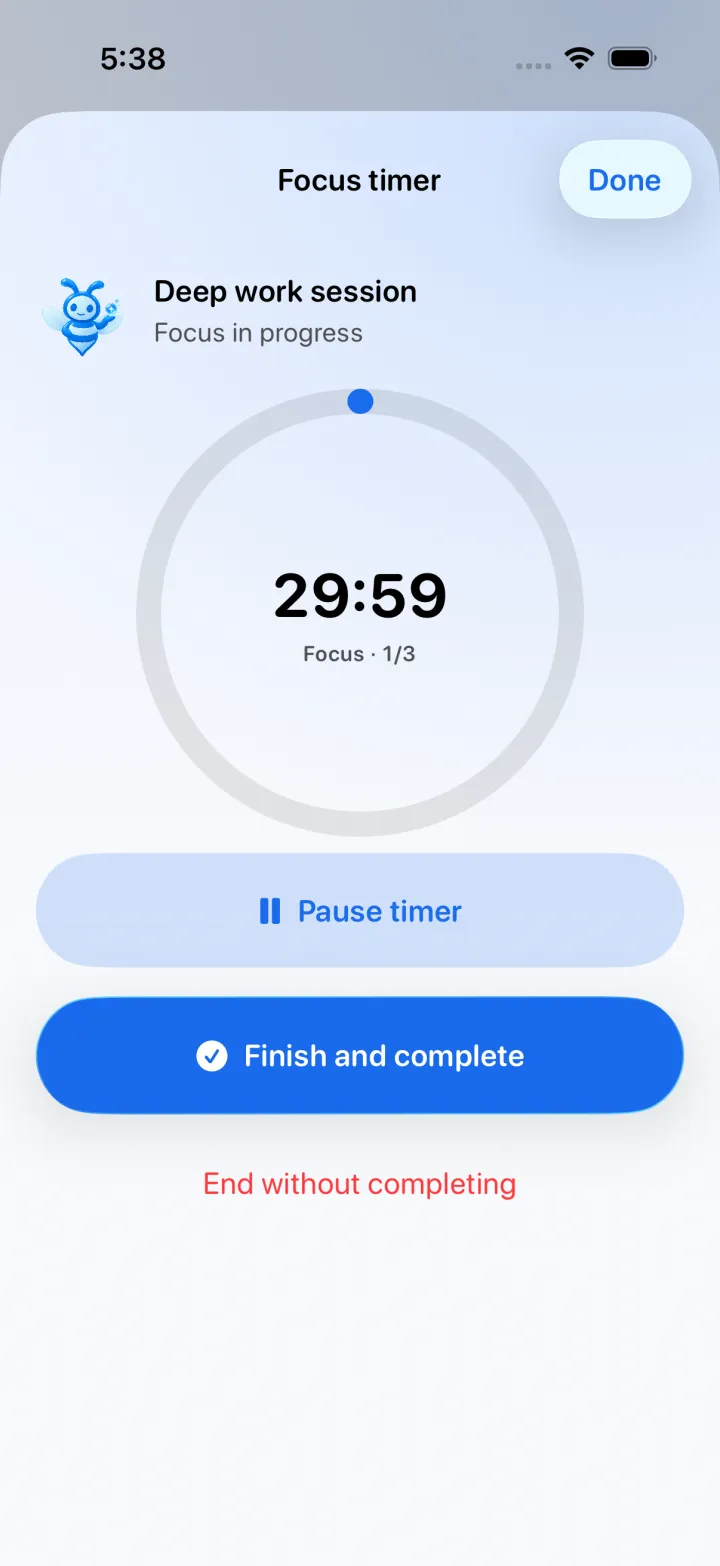
Start a focus timer from any habit, or split long sessions into Pomodoro blocks with breaks. Your timer stays in the Dynamic Island and on the Lock Screen, and the refreshed Apple Watch app lets you complete what's next without reaching for your iPhone.
Rutmia connects what you plan, what you do, and how it's going to show progress you can actually use, all in Progress.
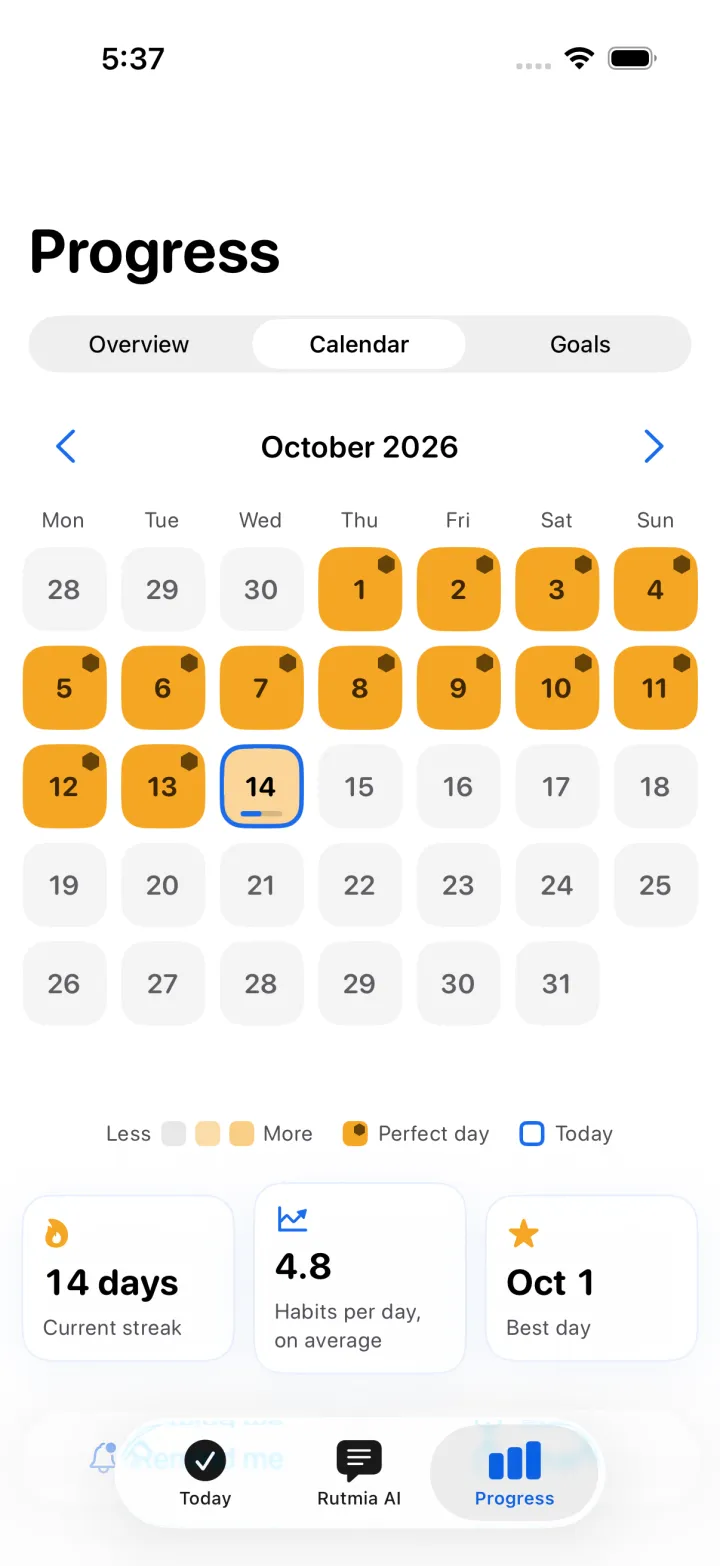
Your streak comes first. Forgot to log yesterday? Rutmia asks. Checked something off by mistake? Undo it right away. The daily score is optional in Settings.
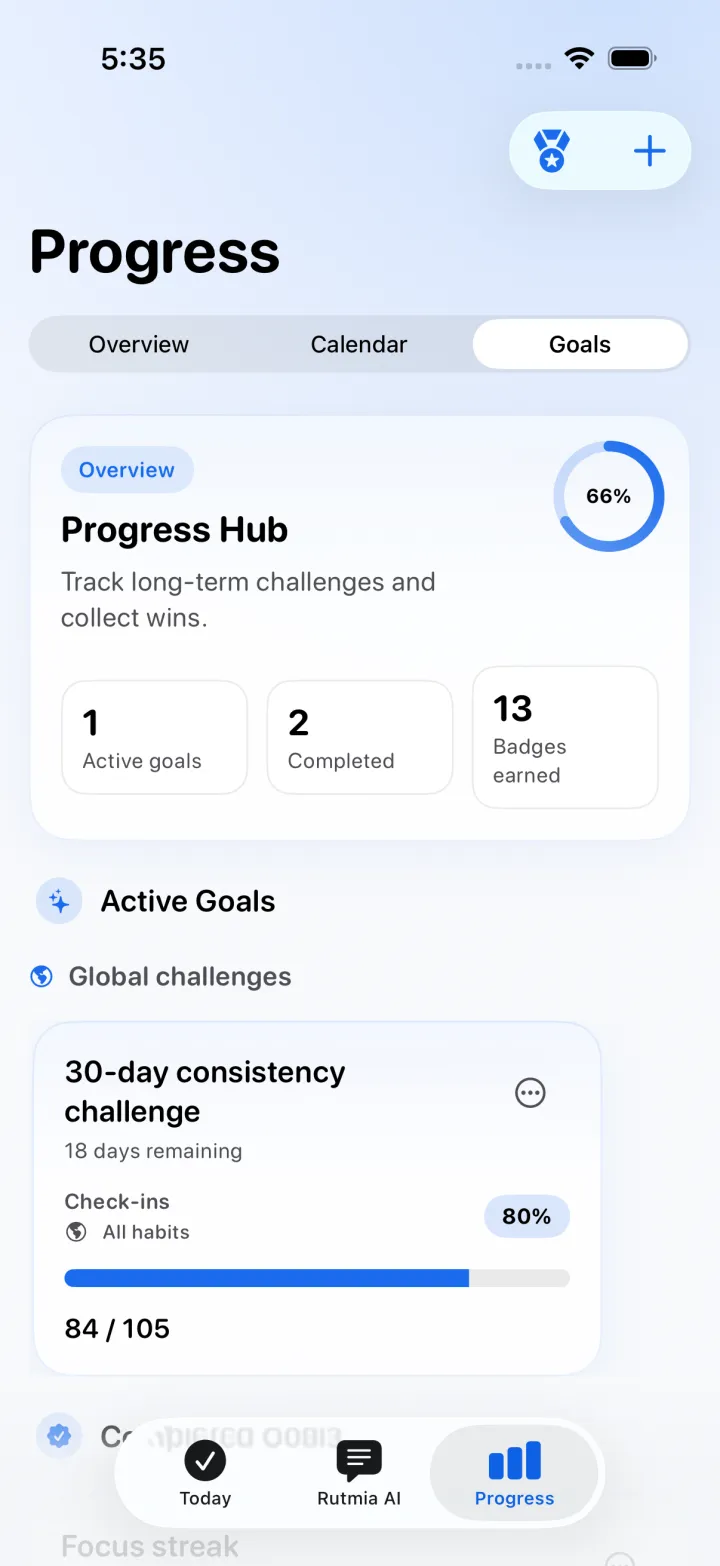
Create goals with clear targets, like completing 20 check-ins this month, and earn honeycomb badges.
Honey deepens with every habit you complete and marks your perfect days. With Pro, see your whole month in honeycomb and your full history.
Set flexible times and gentle reminders only when you want them. Your weekly review lets you know when your week is ready.
Check today from your widgets, create a habit with Shortcuts, follow focus in a Live Activity, and complete what's next on your wrist.
One question to start, with suggested habits
Daily, weekly, or custom schedules
Quantity targets and flexible units
Configurable Pomodoro sessions with automatic breaks
Automatic workout check-ins with HealthKit
Follow-ups, notes, colors, and icons
CSV, JSON, and PDF import or export
Optional sync in your personal iCloud
Rutmia processes your routine primarily on your device. We do not show ads or use cross-app tracking. If you enable cloud assistance, it receives only the minimum context needed, and you can keep requests on-device by withdrawing consent.
Start without handing over your email or creating another cloud profile.
Without your consent, Rutmia keeps requests on-device. Your Health data, calendar events, and notes are never sent.
Starting with version 1.10.1, Rutmia can send anonymous usage statistics that never include your habits or notes. Turn them off in Settings anytime.
The core experience works from your first habit. When your routine grows, try Pro free for 3 days, and if it's right for you, it's a single purchase, not a subscription.
See options on the App Store
Up to 5 active habits, 3 Rutmia AI requests a day, your weekly review, this week's trends, the last two months in the calendar, one active goal, and a preview of Ask Rut.
Unlimited habits and goals, monthly trends, your whole calendar history, Ask Rut and routine analysis, and much more Rutmia AI help. Try it free for 3 days, with no automatic charge.
Pro cloud requests have a monthly fair-use limit; after that, Rutmia AI keeps working on your device. Check the current price in the App Store.
You start with one question and suggested habits; Today, Rutmia AI, and Progress replace the previous five tabs; your streak comes first and the daily score is optional; you get a weekly review you can share; Rutmia asks if you forgot to log yesterday; Ask Rut answers from your own data; Rutmia AI shows the before and after; the Apple Watch app, month view, and calendar were redesigned; and you can try Pro free for 3 days.
Rutmia AI never changes your routine without your approval: Rut explains each change and you apply it. Your routine is processed primarily on your device, there are no ads or cross-app tracking, and Pro is a single purchase instead of a subscription.
Yes. You can download it now from the App Store for iPhone and iPad running iOS 26 or later, with an Apple Watch app.
Without consent to share with cloud models, Rutmia keeps requests on-device. With consent and a connection, it tries Apple Private Cloud Compute when available, then Google Gemini through Firebase, and uses local processing if cloud service is unavailable. You always review changes before applying them.
Routine data is processed primarily on your device. If you consent to cloud assistance, a proposal may include only the minimum active-habit context, and Ask Rut may include your question and aggregated counts such as your streaks and how often you completed each habit in 28 days. HealthKit data, Calendar events or notes, your notes, your day-by-day records, purchases, email, and iCloud identity are not sent. Starting with version 1.10.1, anonymous usage statistics don't include your habits either, and you can turn them off in Settings.
Yes. The free plan includes up to five active habits, 3 Rutmia AI requests a day, your weekly review, this week's trends, the last two months in the calendar, one active goal, and a preview of Ask Rut. Pro is a single purchase, not a subscription, and you can try it free for 3 days with no automatic charge. Check the current price in the App Store.
Many features can work without a connection. Network access may be used for iCloud, for cloud assistance when you choose it and provide the relevant consent, and, starting with version 1.10.1, for anonymous usage statistics if you keep them on.
Rutmia also counts your clean days with a one-tap evening check-in. Start with a practical guide, without relying on willpower alone.
Pick what you want to work on and check off your first habit. Your streak starts today.
Download Rutmia