
Free
Up to 5 active habits, import and export of your data, your weekly review, and 3 Rutmia AI requests per day.
Apple Watch
Rutmia, a habit tracker for iPhone, iPad, and Apple Watch, shows today's route on your wrist: you see your progress and your next habit, mark it complete, and control your focus timer without taking out your iPhone. Everything syncs with your iPhone.
Download Rutmia on the App StoreYou create and edit your habits in Rutmia on your iPhone. Open Rutmia on your iPhone once to bring today's habits to your watch.
The refreshed Apple Watch app shows your progress for the day, your streak, what's next with its time, and the habits still pending.
Mark the habit complete, set it aside for today, or start its focus timer if it has a duration. Your actions sync with your iPhone.
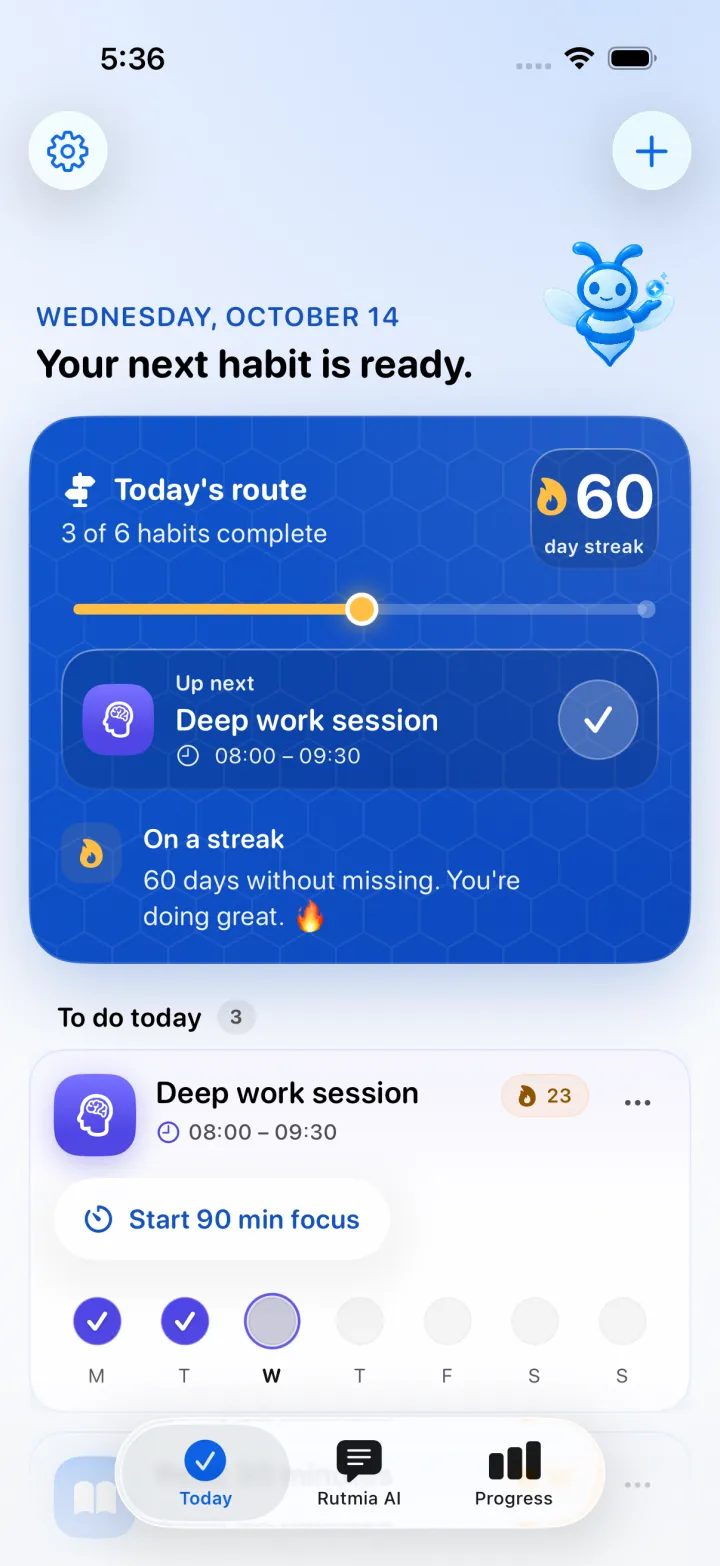
A progress ring with completed habits, your current streak, your next habit, and the list of what's left.
Complete what's next in one tap and undo it if it was a mistake. You can also set a habit aside for today. Habits with a quantity goal show their progress.
Start the timer for a habit with a duration, pause, resume, and finish to complete it, or end without saving. If you use Pomodoro blocks, you see whether you're in a block or on a break. The timer stays visible with Always On.
The Today's route complication is available in circular, corner, rectangular, and inline formats, and shows your route, your next habit, and your active focus.
While a focus is running, the habit and its time also show in the Dynamic Island and on the iPhone Lock Screen.
Up to 5 active habits, import and export of your data, your weekly review, and 3 Rutmia AI requests per day.
A one-time Lifetime Pro purchase, with a free 3-day trial: unlimited habits and goals, monthly trends, your full history, and Rutmia AI without the daily request limit.
Check the current price in the App Store.
Rutmia, a habit tracker for iPhone, iPad, and Apple Watch. The watch app shows today's route, lets you complete habits and control the focus timer, and syncs with your iPhone.
Yes. From your watch you can complete the next habit, set it aside for today, or open any pending habit in your route to do the same.
Habits are created and edited in Rutmia on your iPhone. The Apple Watch shows today's route and lets you complete habits and use focus.
Yes, your habits, progress, and focus timers sync from your iPhone. If your watch doesn't have your route yet, open Rutmia on your iPhone once to bring it over.
Yes. The Today's route complication shows your progress, your next habit, and your active focus, in circular, corner, rectangular, and inline formats.
You can start free with up to 5 active habits. A one-time Lifetime Pro purchase removes that limit. Check the current price in the App Store.
Rutmia is spelled with a t: R-u-t-m-i-a. It's a habit and routine app for iPhone, iPad, and Apple Watch, in English and Spanish, made by Luis Angel Lucatero Villanueva in Mexico.
Download Rutmia on your iPhone and today's habits arrive on your Apple Watch.
Download Rutmia on the App StoreRequires iOS 26 or later. Available in English and Spanish.How Rutmia AI works